
How We Help
Comprehensive Security System Solutions and Full-Set Security Installation
More Reasons That People Love the P-Series
Phonebooks
Group corporate contacts into several phonebooks and grant permissions to different departments separately.
Chrome-Extension
Yeastar Linkus for Google is a Chrome extension that enables you to miss no call, simplify dialing, and increase efficiency.
CRM-Integration
Align data and conversations with built-in Zoho and Salesforce CRM integration. Leverage click-to-call, call journaling, call pop-up, etc.
Microsoft-Teams-Integration
A complete UC&C solution. Meet all internal and external calling needs directly from the Teams app.
Remote-Access-Service
Consistent in-office communication experience for everyone via the secure and hassle-free remote connection.
Operator-Panel
Drag and drop to dispatch incoming calls to extensions, ring groups, and queues based on real-time availability.
The Full Feature List: From the Must-Haves to the Nice-to-Haves
With a lengthy list of features, P-Series PBX System is able to do a lot more than you expect it to, covering everything SMEs would ask for in daily business communications. Some advanced features are accessible through easy subscriptions as follows.
The Basic Plan is included in the appliance while the Enterprise and Ultimate Plan require additional subscription. (See the subscription pricing for different appliance models here.) The Cloud and Software Edition are available in Enterprise Plan and Ultimate Plan.
| Appliance | Appliance,Software,Cloud | Appliance,Software,Cloud | |
| Telephony Features | ☑ | ☑ | ☑ |
| AutoCLIP | ☑ | ☑ | ☑ |
| Call Routing | ☑ | ☑ | ☑ |
| Call Forwarding | ☑ | ☑ | ☑ |
| Call Monitoring | ☑ | ☑ | ☑ |
| Call Parking | ☑ | ☑ | ☑ |
| Call Pickup | ☑ | ☑ | ☑ |
| Call Recording | ☑ | ☑ | ☑ |
| Call Flip | ☑ | ☑ | ☑ |
| Call Switch | ☑ | ☑ | ☑ |
| Call Transfer | ☑ | ☑ | ☑ |
| Call Waiting | ☑ | ☑ | ☑ |
| Caller ID | ☑ | ☑ | ☑ |
| Conference Rooms | ☑ | ☑ | ☑ |
| Speed Dial | ☑ | ☑ | ☑ |
| Dial by Name | ☑ | ☑ | ☑ |
| DNIS | ☑ | ☑ | ☑ |
| DID (Direct Inward Dialing) | ☑ | ☑ | ☑ |
| DND (Do Not Disturb) | ☑ | ☑ | ☑ |
| DOD (Direct Outward Dialing) | ☑ | ☑ | ☑ |
| CID-based & DID-based Call | ☑ | ☑ | ☑ |
| Allowed/Blocked Number | ☑ | ☑ | ☑ |
| Plan | Plan | Plan | |
| Appliance | Appliance,Software,Cloud | Appliance,Software,Cloud | |
| Business Features | ☑ | ☑ | ☑ |
| IVR | ☑ | ☑ | ☑ |
| Queue | ☑ | ☑ | ☑ |
| Ring Group | ☑ | ☑ | ☑ |
| Paging & Intercom | ☑ | ☑ | ☑ |
| Operator Panel | ☑ | ☑ | ☑ |
| Monitor Call Status (Inbound/Outbound) | ☑ | ☑ | ☑ |
| Monitor Presence Status (Extension, Ring Group, Queue, Parking Slot) | ☑ | ☑ | ☑ |
| Drag & drop Dispatch Call | ☑ | ☑ | ☑ |
| Advanced Call Control | ☑ | ☑ | ☑ |
| Custom Prompts | ☑ | ☑ | ☑ |
| Distinctive Ringtone | ☑ | ☑ | ☑ |
| Music on Hold | ☑ | ☑ | ☑ |
| MOH Playlist & Streaming | ☑ | ☑ | ☑ |
| PIN List | ☑ | ☑ | ☑ |
| BLF Support | ☑ | ☑ | ☑ |
| LDAP Server | ☑ | ☑ | ☑ |
| T.38 Fax | ☑ | ☑ | ☑ |
| Remote Extensions | ☑ | ☑ | ☑ |
| Business Hours & Holidays | ☑ | ☑ | ☑ |
| Emergency Number | ☑ | ☑ | ☑ |
| Emergency Notifications | ☑ | ☑ | ☑ |
| CDR & Basic Reports | ☑ | ☑ | ☑ |
| Plan | Plan | Plan | |
| Appliance | Appliance,Software,Cloud | Appliance,Software,Cloud | |
| Administration & Security | ☑ | ☑ | ☑ |
| Web-based Management Portal | ☑ | ☑ | ☑ |
| Graphical Dashboard | ☑ | ☑ | ☑ |
| Auto Provisioning | ☑ | ☑ | ☑ |
| Bulk Import & Export | ☑ | ☑ | ☑ |
| Extension Directory | ☑ | ☑ | ☑ |
| Group & Organization | ☑ | ☑ | ☑ |
| User Role & Permissions | ☑ | ☑ | ☑ |
| Operation Logs | ☑ | ☑ | ☑ |
| Event Logs & Notifications | ☑ | ☑ | ☑ |
| Backup and Restore | ☑ | ☑ | ☑ |
| Troubleshooting | ☑ | ☑ | ☑ |
| Built-in SMTP Server | ☑ | ☑ | ☑ |
| Network Drive | ☑ | ☑ | ☑ |
| AMI | ☑ | ☑ | ☑ |
| Remote Management | ☑ | ☑ | ☑ |
| Hot Standby Supported on the Appliance & Software Edition. | ☑ | ☑ | ☑ |
| Security | ☑ | ☑ | ☑ |
| Password Policy Enforcement | ☑ | ☑ | ☑ |
| Auto Defense | ☑ | ☑ | ☑ |
| Static Defense | ☑ | ☑ | ☑ |
| IP Blocklist | ☑ | ☑ | ☑ |
| Security Alerts via Email | ☑ | ☑ | ☑ |
| Outbound call frequency restriction | ☑ |
| Plan | Plan | Plan | |
| Appliance | Appliance,Software,Cloud | Appliance,Software,Cloud | |
| Unified Communications | ☑ | ☑ | ☑ |
| Linkus UC Clients | ☑ | ☑ | ☑ |
| Web Client | ☑ | ☑ | ☑ |
| Mobile Client (iOS & Android) | ☑ | ☑ | ☑ |
| Desktop Client (Windows & MacOS) | ☑ | ☑ | ☑ |
| Google Chrome Extension | ☑ | ☑ | ☑ |
| Presence | ☑ | ☑ | ☑ |
| Native Contact Management (Personal Contacts, Company Contacts) | ☑ | ☑ | ☑ |
| Audio Conferencing | ☑ | ☑ | ☑ |
| WebRTC Audio Call | ☑ | ☑ | ☑ |
| Function Keys on Web Client | ☑ | ☑ | ☑ |
| CTI | ☑ | ☑ | ☑ |
| Select & Dial with Hotkey on Desktop Client | ☑ | ☑ | ☑ |
| Voicemail | ☑ | ☑ | ☑ |
| Voicemail Transcription | ☑ | ☑ | ☑ |
| Group Voicemail | ☑ | ☑ | ☑ |
| Voicemail to Email | ☑ | ☑ | ☑ |
| Pop-up URL | ☑ | ☑ | ☑ |
| Microsoft Teams Integration | ☑ | ☑ | ☑ |
| Plan | Plan | Plan | |
| Appliance | Appliance,Software,Cloud | Appliance,Software,Cloud | |
| Instant Messaging | ☑ | ☑ | ☑ |
| Personal and Group Chat | ☑ | ☑ | ☑ |
| File Sharing | ☑ | ☑ | ☑ |
| Rich Emojis | ☑ | ☑ | ☑ |
| Cross-client Synchronization | ☑ | ☑ | ☑ |
| Plan | Plan | Plan | |
| Appliance | Appliance,Software,Cloud | Appliance,Software,Cloud | |
| Remote Access Service | ☑ | ☑ | ☑ |
| Custom PBX Domain Name (FQDN) | ☑ | ☑ | ☑ |
| PBX Web Portal Remote Access | ☑ | ☑ | ☑ |
| Linkus UC Clients Remote Connection | ☑ | ☑ | ☑ |
| LDAP Server Remote Access | ☑ | ☑ | ☑ |
| Function-based Security Control | ☑ | ☑ | ☑ |
| Plan | Plan | Plan | |
| Appliance | Appliance,Software,Cloud | Appliance,Software,Cloud | |
| Remote SIP Service | ☑ | ☑ | |
| Private & Secure Tunnel | ☑ | ☑ | |
| Easy Remote SIP Endpoints Registration NOTE:-Register your remote IP phones, branch office PBXs, VoIP gateways, and alike remote SIP endpoints to the PBX easily as if they were deployed on your PBX's intranet. | ☑ | ☑ | |
| Granular Security Control | ☑ | ☑ | |
| No Port Portwarding & NAT Issues | ☑ | ☑ |
| Plan | Plan | Plan | |
| Appliance | Appliance,Software,Cloud | Appliance,Software,Cloud | |
| Call Center | ☑ | ☑ | |
| Switchboard-type Queue Panel | ☑ | ☑ | |
| Queue Callback for Reduced Call Abandonment | ☑ | ☑ | |
| Real-time Metrics on Wallboard | ☑ | ☑ | |
| SLA for Performance Measurement | ☑ | ☑ | |
| Insightful Call Center Reports | ☑ | ☑ |
| Plan | Plan | Plan | |
| Appliance | Appliance,Software,Cloud | Appliance,Software,Cloud | |
| Phonebooks | ☑ | ☑ | |
| PBX-native Contacts Management | ☑ | ☑ | |
| Separate Permission Control Per Phonebook | ☑ | ☑ | |
| CRM Contacts Synchronization | ☑ | ☑ |
| Plan | Plan | Plan | |
| Appliance | Appliance,Software,Cloud | Appliance,Software,Cloud | |
| Call Accounting | ☑ | ☑ | |
| Custom Rates Applied to Outbound Calls | ☑ | ☑ | |
| Analysis Report on Telecom Expenses | ☑ | ☑ |
| Plan | Plan | Plan | |
| Appliance | Appliance,Software,Cloud | Appliance,Software,Cloud | |
| CRM Integration | ☑ | ☑ | |
| Incoming Call Popups | ☑ | ☑ | |
| Auto Call Journal | ☑ | ☑ | |
| Click to Call CRM Contacts | ☑ | ☑ | |
| Hassle-free Integration | ☑ | ☑ | |
| Support for Zoho, Salesforce, and HubSpot | ☑ | ☑ |
| Plan | Plan | Plan | |
| Appliance | Appliance,Software,Cloud | Appliance,Software,Cloud | |
| Microsoft Azure AD Integration | ☑ | ☑ | |
| User & Group Synchronization | ☑ | ☑ | |
| Auto Extension Assignment for New User | ☑ | ☑ | |
| Single Sign-on (SSO) | ☑ | ☑ | |
| Faster and Easier Administration | ☑ | ☑ |
| Plan | Plan | Plan | |
| Appliance | Appliance,Software,Cloud | Appliance,Software,Cloud | |
| API | ☑ | ☑ | |
| PBX Configuration | ☑ | ☑ | |
| Call Control | ☑ | ☑ | |
| uaCSTA Control | ☑ | ☑ | |
| Event Notification | ☑ | ☑ |
| Plan | Plan | Plan | |
| Appliance | Appliance,Software,Cloud | Appliance,Software,Cloud | |
| Windows Active Directory Integration | ☑ | ||
| User, Organization Unit, Group Synchronization | ☑ | ||
| Auto Extension Assignment for New User | ☑ | ||
| Single Sign-on (SSO) | ☑ | ||
| Faster and Easier Administration | ☑ |
| Plan | Plan | Plan | |
| Appliance | Appliance,Software,Cloud | Appliance,Software,Cloud | |
| Video Conferencing | ☑ | ||
| Bulk Email & Instant Link Invitation | ☑ | ||
| HD Audio and Video | ☑ | ||
| Screen Sharing | ☑ | ||
| In-meeting Team Chat | ☑ |
| Plan | Plan | Plan | |
| Appliance | Appliance,Software,Cloud | Appliance,Software,Cloud | |
| WebRTC Video Calls | ☑ | ||
| Integrated 1:1 Video on Web Client | ☑ | ||
| Seamless Video/Audio Call Switch | ☑ | ||
| HD Audio and Video | ☑ | ||
| Shrinkable Call Window | ☑ |
Lakeshore Managed Network Services
Networking Experts in Lakeshore, Ontario Providing stress-free, cost-effective, and reliable network management services

Infrastructure Development
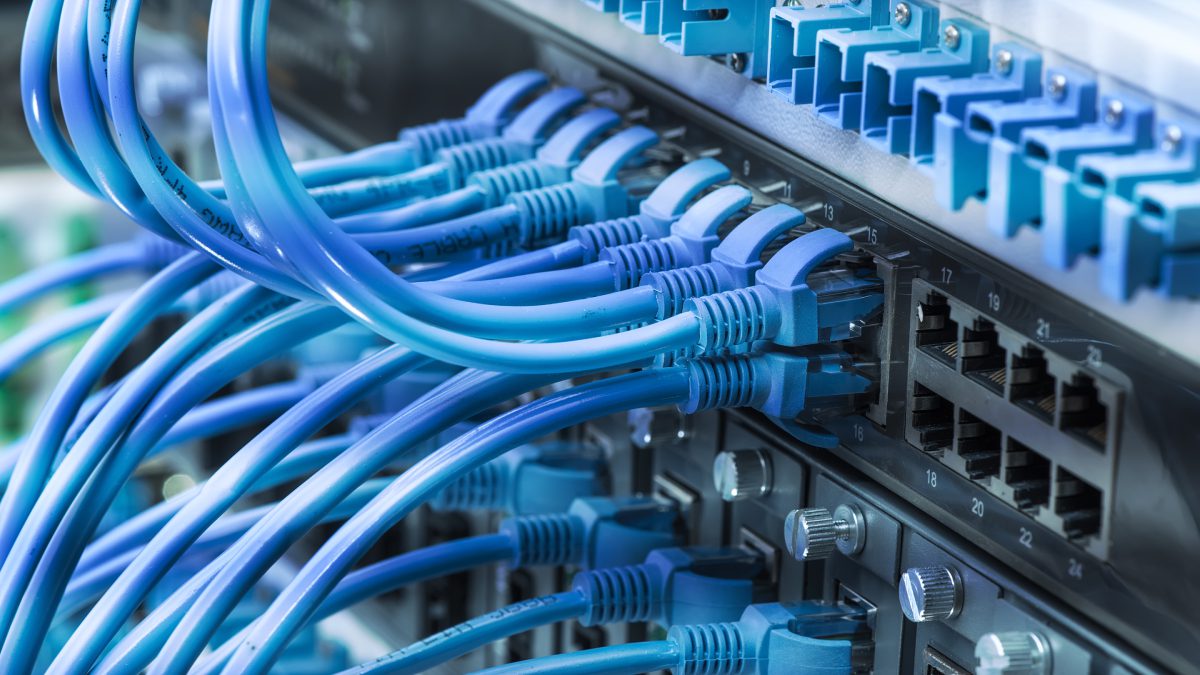
Customized and tailored to your needs. Let us design and manage your network and IT needs. Routers, firewalls, switches, cabling, access points, etc.

Network Certification
With networking experts and certification tools, we can test existing cabling and connectors to certify they are operating at rated speeds. Third party auditing to make sure you got what you paid for.
Managed Wi-Fi
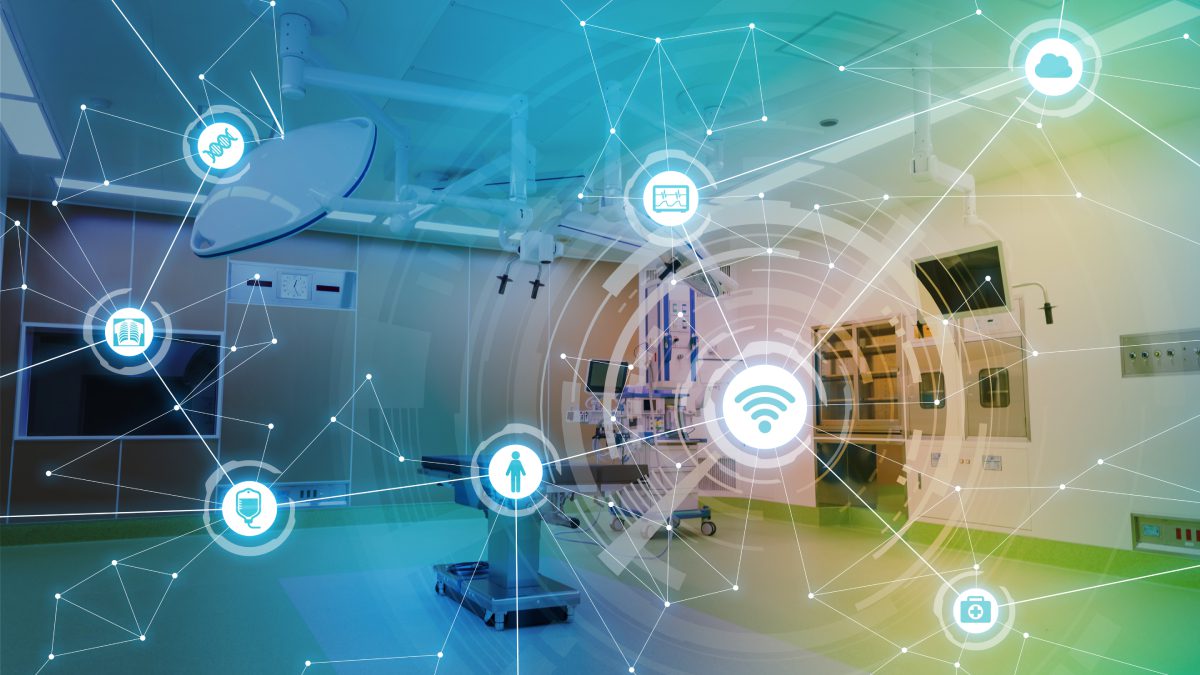
Wi-Fi system providing you with regular reporting on your usage and coverage, so you can identify where and why you might have bottlenecks or are just outgrowing your current environment
Heat Mapping
Dead spots in your Wi-Fi? Wondering if it's underperforming or underengineered? You give us a floor plan, and we will heat map your premises to show you actual signal strength values of all your access points.

Cabling
New or existing? Single Run? Add a single AP? Cable an entire building? Doesn't matter! We are here for you!

Wireless Site-to-Site Bridge
Multiple sites / Buildings? Why not share the resources? With wireless bridging, we can get everything on a single network, avoiding expensive installation and construction costs.
Protect Your Home & Business With Our Best-in-Class Surveill
Security Camera Installation across Lakeshore, Ontario We offer surveillance systems that are streamlined for the best end-user experience.
Welcome
We are proud installers of Digital Watchdog products. Check out their website at digitalwatchdog.com for more information.
Not sure about your needs? Contact one of us today, and one of our team members would be glad to perform a site survey to get you started!
Digital Watchdog IP VMS
Seamless Integrations and Enterprise Features
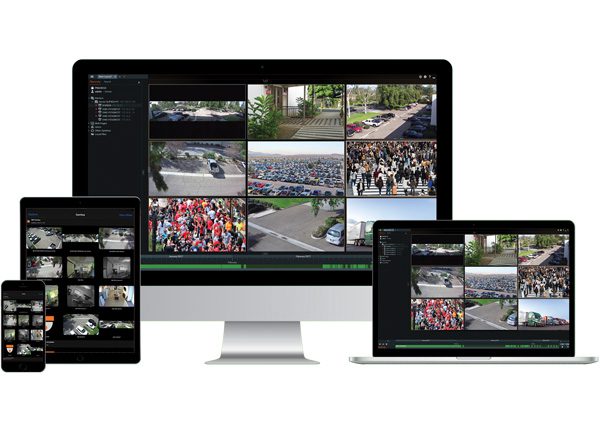
Offering numerous advanced, enterprise-level features on an endlessly customizable platform, DW Spectrum will both simplify and streamline your video surveillance management. Designed to accommodate any industry’s needs, this powerful and dependable system will reduce costs and optimize operation, allowing your company the freedom to do what it does best.
Supports and Works With Most Devices On The Market
DW Spectrum offers extensive equipment integration, supporting thousands of devices including cameras, encoders and I/O modules from leading manufacturers. Its refined user interface guarantees seamless surveillance management. And its cross-platform variability also allows users to access and manage surveillance data from anywhere, at any time.
Six Big Reasons DWS IPVMS is Your Choice

Surveillance Systems in Lakeshore
Interface is Dramatically Easier to Use

Enterprise Features Are Standard
Part of a Complete End-to-end IP Solution

Lifetime Upgrades/No Annual Agreements

Scalable From One to Thousands of Devices
Software Features for IP Lynx Custom Built Servers
Automatically discover, populate, and configure all supported devices on the network.
DW Spectrum lets users add any RTSP, HTTP, or UDP stream from any device (IP camera, drone, etc.) or 3rd party system (DVR, NVR, etc.).
Every IP Lynx server in an DW Spectrum® system synchronizes user and configuration data in real-time ensuring no single point of failure in any size system.
The IP Lynx servers allow users to capture and store video pretty much anywhere – local drives, SD cards, NAS devices or even cloud locations.
web-based interface that is accessed by directly connecting to a Server IP Address.
Every IP Lynx server with DW Spectrum has an IFTT events rules engine that lets operators configure simple or advanced rules based on System-generated or integrated 3rd party events.
Open Built-in Developer Tools are accessible at any time through the server web admin page
Bring DW Spectrum into the Control4 home automation system with a simple integration
Send any combination of notifications – built-in desktop notifications, email, or even via SMS or 3rd party systems using HTTP actions.
Automatic camera failover will be activated when all storage on a server has failed.
Software Features for DW® Client
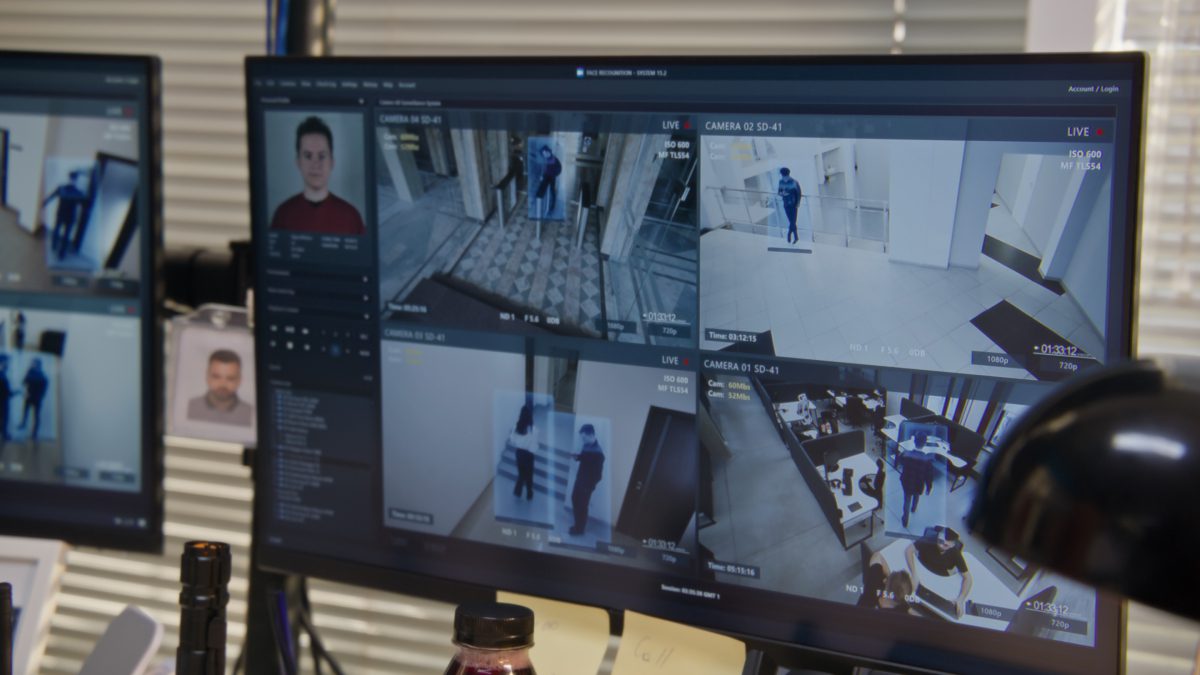
A rich media player with a flexible grid interface, unmatched speed and responsiveness, instant event notifications, an embedded browser, and a user experience unlike any other video management software
Use in-camera video analytics to create rules in the events rules engine
Use the bitrate throttling to dial-in a camera’s network usage and limit its bandwidth and storage usage.
Enhanced Export
Single and multi-video rapid exports, with an added timestamp or customized text and even your own watermark.
Operators can easily export bookmarked video directly from the timeline with a quick click of the mouse.
Users can receive notifications when reviewing video if the original archive has been modified (files modified or removed).
Allows users to create custom IDs for API calls, enabling a simpler integration with 3rd-party systems.
A revolutionary interface that allows users to create an unlimited number of customizable, shareable layouts.
De-warp any live or recorded fisheye video or image, add virtual PTZ tours, and more.
Control PTZ cameras using quick point and click or outline-to-zoom user interface controls.
DW Spectrum® IPVMS client application is an 80 MB installer and can run well even on super lightweight computers
Quickly add users and manage user rights with custom user roles, LDAP/AD integration, and more.
DW Spectrum® IPVMS uses adaptive scaling technology to optimize speed while minimizing CPU and network usage.
View up to 64 video streams on a single layout-with support for MJPEG, H.264 and H.265 live streams.
DW Spectrum® IPVMS client application is an 80 MB installer and can run well even on super lightweight computers
DW Spectrum® IPVMS uses HTTP and SSL to communicate with all system servers for secure, encrypted communications.
Export from DW Spectrum®IPVMS client is simple, fast, and flexible. Export single or multiple cameras or use the rapid review feature.
Search an entire year’s worth of recorded video in less than a second using any combination of keywords, calendar, bookmarks, and smart motion.
DW Spectrum®‘s Soft Triggers give operators the ability to manually trigger any event – event integrations to 3rd party systems (e.g. Access Control, Fire, Building Automation).
Analyze and predict the amount of data being captured by cameras on every storage location in the system to manage storage.
Create completely customizable timed viewing tours of any system resource – live cameras, recorded videos, images, web pages, I/O control panels.
Two Way audio works like a walkie-talkie, allowing operators to engage with individuals or groups through an IP camera’s built-in audio.
Every DW Spectrum® Server has an IFTT events rules engine that lets operators configure simple or advanced rules based on System-generated or integrated 3rd party events.
Manually or Automatically (using the Events Rules Engine) create Bookmarks to highlight critical events and related video.
DW Spectrum® client context sensitive manual has been completely re-written – with new graphical explanations and more!
A full-featured embedded chromium browser to display web pages on layouts.
If a Server with Video Wall licenses fails, the video wall continues working for 7 days.
View up to 64 video streams on a single layout with support for MJPEG, H.264 and H.265 live streams.
Import offline video from wearable cameras, phones, and other devices to archive and share with other users.
Create dual-streaming “cameras” using RTSP, HTTP and UDP to enable adaptive scaling in DW Spectrum clients.
USB webcams and laptop cameras can be managed like IP cameras.
Control PTZ cameras using quick point and click or outline-to-zoom user interface controls.
The panel includes notifications, motion events, bookmarks, events, and objects at a glance.
View seconds, days and months from the same adaptive timeline quickly and instantly.
Export and share video as an executable file with a built-in interface for a unique interactive client experience.
Create rules to open any user-defined layout as an action for roles or specific users.
Export password-protected video for secure sharing of key captured events.
Set a minimum viewing grid size (initial number of viewing grid items) in the layout settings.
The desktop client can be launched using the Command Line Interface (CLI).
Search recorded archives using an entire camera view or specific pixels. Search an entire year in less than a second.
Get notified when system devices (cameras, streams, IoT devices, storage) are offline or underperforming.
Search objects (people, license plates, faces, clothing, bags, etc) with integrated computer vision partner plugins.
Manage camera streaming and recording settings including changing quality, fps, motion detection and more.
Proxy from outside your local network to the camera’s web page to set up in-camera analytics, events and more.
New native support for MEGApix IVA and IVA+ IP cameras allow users to capture object metadata/events for automation in the rules engine.
Use input and outputs on cameras to trigger events and control connected 3rd party devices like Access / Alarm / Fire.
Take any period (e.g. 1 day) and create a compressed time-lapse of any duration (e.g. 30 seconds).
Force acknowledgment of key notifications and create bookmarks to document key events.
Integrate any 3rd party system or device using standard HTTP events and actions in the rules engine.
Evaluate the video exported from the system to verify the authenticity and check the integrity of the chain of custody.
Manage local HDDs and NAS devices. See real-time usage statistics and utilize available space intelligently.
View real-time server health metrics including CPU, network usage, HDD performance, and RAM usage.
Download available upgrade packages (client + server) and begin updates when ready with the click of a button.
Help prevent account hijacking due to stolen or misplaced credentials.
All Internet requests use OS SSL/TLS Certificate Validation to prevent MITM (man-in-the-middle) attacks.
DServers and clients use bearer token authentication by default.
Combine audio and video from different devices.
Enable additional functionality such as opening and closing cameras and playing and pausing the video.
Desktop clients can be updated separately from the server software.
Search for objects identified by analytics and stored in video archives by attributes.
Group resources (cameras, streams, encoders, web pages) to be used in roles and permissions.
Certain interface elements can be saved and restored upon launching the desktop client.
Hover over the timeline to preview the video in thumbnail format.
Local device or service web pages can be proxied via the Server application and viewed via a remote connection.
-

Integrated Control Technology

Access Control and Intrusion Detection
Traditionally, access control systems and intruder detection systems have worked independently of each other. Our products work together to provide a single, cohesive, and unified solution that helps you keep unwanted visitors outside while enabling you to monitor and control access inside. All without having to break a sweat.


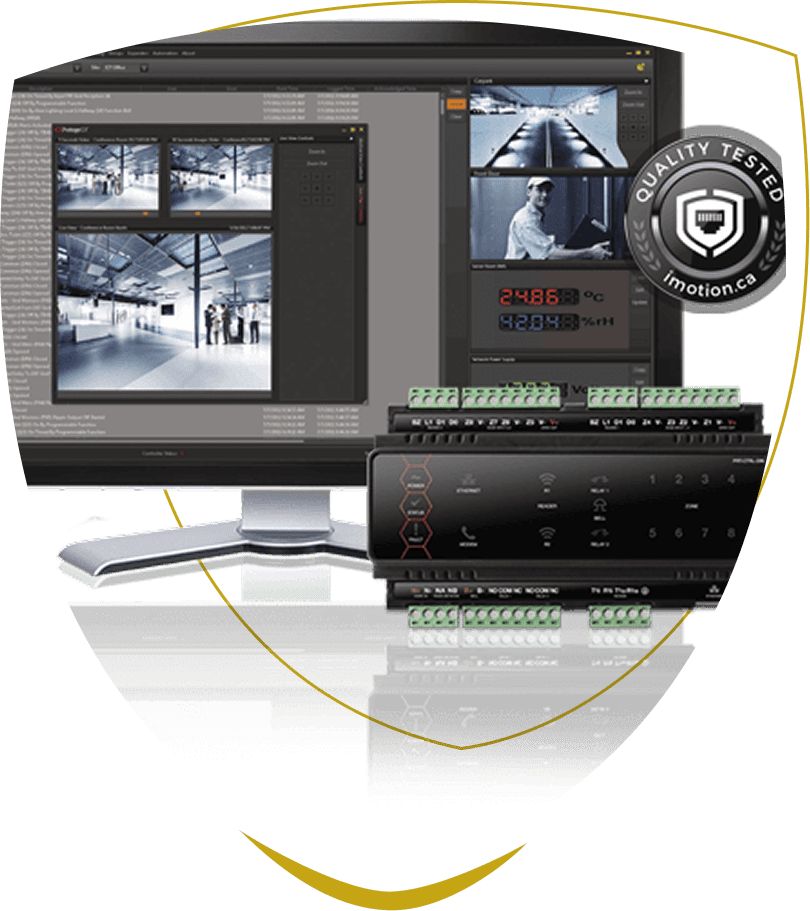

Enterprise-Level
Access Control at your fingertips
At ICT, they believe the key to great software is doing all the hard thinking up-front so you don’t have to. There’s no better example of this theory in action than the ProtegeGX package. It’s an enterprise-level integrated access control, intrusion detection, and building automation solution with a feature set that is easy to operate, simple to integrate, and effortless to extend.
Easy to Operate
Designed with the end user in mind, ProtegeGX offers an intuitive and user-friendly interface with graphical floor plans and highly customizable status pages for controlling and monitoring the system. Customizable alarm and event filters enable you to sort and categorize the event and alarm data that is shown. Display information relevant to your site and setup - not your neighbours.
Simple to Integrate
Integration with a wide range of third-party systems enables you to maximize the infrastructure and IT investments you already have available on-site while adding value to existing technology. ICT’s open Automation and Control protocol allows third-party developers to create custom integrations that communicate directly with the ProtegeGX Controller.
Effortless to Extend
The modular design and scalable licensing model make ProtegeGX suitable for everyone-from small single-door systems right through to large multinational corporations. Modular expansion allows the system to grow with you and proves to be very cost-effective, as you only add expander modules and optional functionality as you need them.
Faster. Smarter. Stronger.
Designed around the end users’ needs, ProtegeGX is loaded with features that enhance the system further and provide true benefit to any organization.
Floor Plans
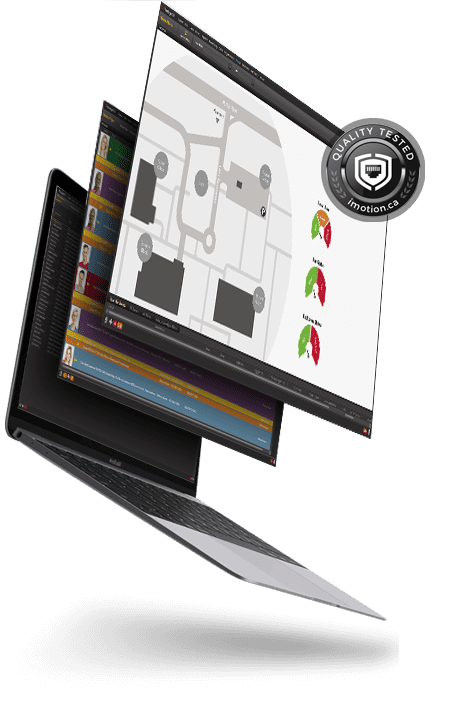
Graphical floor plans provide a visual representation of your site and are a quick and efficient way to control and monitor your Protege system. You can quickly arm and disarm areas, control doors and outputs, and view input status and live variable information.
Status Pages
Fully customizable, status pages provide an intuitive graphical interface that minimizes the learning curve, allowing new users to get up to speed quickly. The flexible design enables you to include the content relevant to your site for a sitewide overview, or allows you to drill down to show more detail.
Targeted Information
Customizable alarm and event filters enable you to sort and filter what and how information is displayed to an operator. Filtering the noise and showing only what is relevant improves efficiency and ensures an accurate response to incidents.
Reports Made Accessible
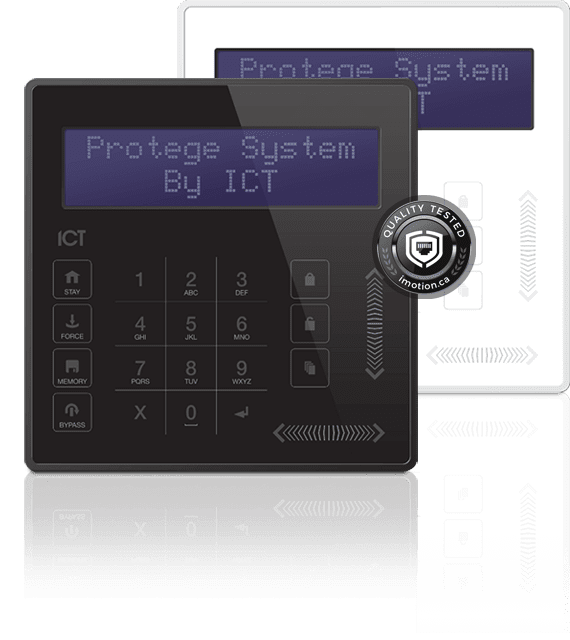

The ICT Elite Suite range is designed for commercial and multi-dwelling apartment complex management. Using the trusted and proven Protege backend hardware and software platform, cutting-edge facilities are automated with ease. A variety of end-user keypad options provide centralized management, and the unobtrusive design is the perfect fit for any modern facilities.
The new EliteSuite Touch Sense LCD keypad provides a sleek, user-friendly human interface to the EliteSuite System, an advanced technology security system specifically designed to enhance the functionality of commercial and condominium security with flexible local monitoring and offsite communication. The Protege EliteSuite Eclipse LED Keypad is a complete, modern security system for alarming your facility.

Features and Integrations
Business doesn't stand still, so you need a solution that can keep pace with your changing business requirements and scale with your organization.
Optional features and a flexible licensing model mean that you can add functionality as you need, without paying for the features you don’t. Start with a package based on your requirements today, and add features as your needs change.

Photo ID
Proximity or smart cards hold information that controls a user's physical access to buildings and secure areas. Adding user details such as name, photo, signature and
barcode to these cards, enhances security by adding a visual aspect to the identification. Photos are also displayed against the user events within ProtegeGX, enabling security personnel to quickly identify any discrepancies.

Visitor Management
Any visitors enter a ‘secure’ building and gain access by simply writing their name in a log book. While a paper based system may seem quick and economical, it provides little security and poses a range of other problems. ProtegeGX enables you to register and track your visitors directly from the interface, effectively eliminating the need for a separate visitor management system.

Time & Attendance
Access Control systems control what users can do, where they can go, and when they can do it. They also record when these events occur, effectively allowing you to track and monitor staff movements on site. Time and Attendance reports eliminate the need for a separate timekeeping system by using the access data to provide information on the in and out movements of staff.

Web Client
With no software to deploy to end user PCs, the web client provides a truly cross-platform solution that works on any platform and any device with a modern web browser. Wash your hands of dusty old desktop PCs with the freedom to monitor and control your sites from anywhere, at any time - the office, from home, or on the road. That freedom you've been waiting for.

Active Directory
Ninety percent of medium to large businesses use Active Directory services to provide centralized management of their servers, workstations, and users. ProtegeGX's Active Directory integrations provide synchronization and authentication for Active Directory users enabling these organizations to leverage on the user management and security policies that AD provides.

Muster Reports
Knowing who's on site at any given time is a key requirement when it comes to complying with health and safety standards. Muster Reports allow you to quickly identify who is in a defined area by listing all users that have entered and/or exited via the readers associated with a door. These are ideal for creating an evacuation list when a fire alarm is triggered.

Email on Event
The Email on Event feature allows you to send an email to a predefined user automatically when specific events are triggered. For example, emailing a muster report to the fire marshall when a fire alarm is activated, or notifying a building manager when access to a secure door is granted (or denied).

VoIP Station License
Seamless integration between ProtegeGX and VoIP compliant Intercom systems, provides a cohesive, full featured communication solution. Protege workstations can be configured to register as a VoIP client, allowing direct communication with an IP intercom from within the GX interface.
ICT Protege GX
Flexible System Architecture
The server-based architecture makes ProtegeGX a truly global system, enabling you to securely manage, control, and monitor an unlimited number of users, doors, areas, and other devices in real time, regardless of geographical location. A centralized database improves efficiency and keeps your valuable, sensitive data secure - not tucked away on a laptop in the back of a company vehicle.
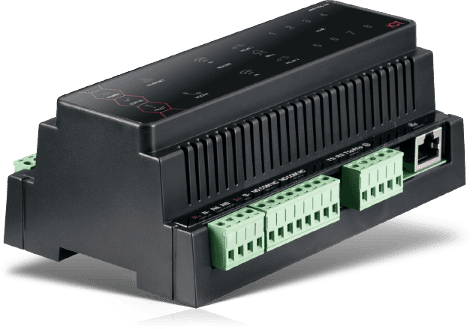
DIN rail controllers provide field intelligence, ensuring that independent site operation is not reliant on connectivity with the server. With no limit on the number of controllers that can be added to a ProtegeGX system, scalability is a key focus. Modular expansion allows each controller to be extended up to 64 doors and 1000+ inputs and outputs. This flexibility allows both centrally located, home-run control and edge intelligence models to be mixed and matched to best fit the application.
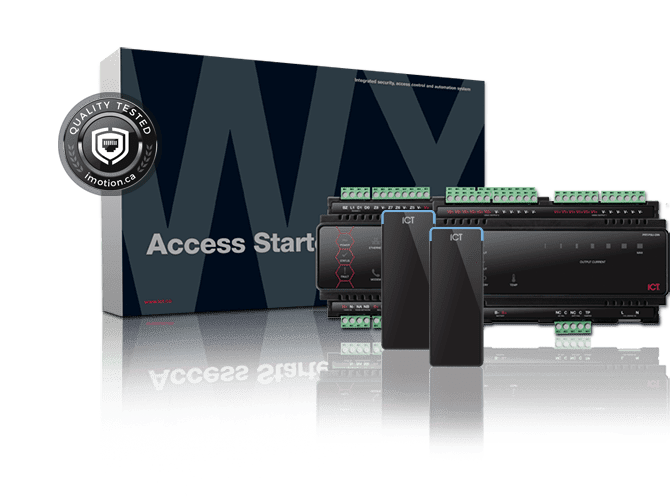
Just open the box.1, 2, 3...
ProtegeWX is an out-of-the-box, all-in-one system that is quick to set up and intuitive to use. Simply unpack the box, connect the controller and power supply, and launch your web browser. The wizard-driven interface guides you through the process to configure your system, giving you a fully functional access control and intrusion detection solution within a fraction of the time of conventional software.
ICT Protege WX
No Software = No Complications
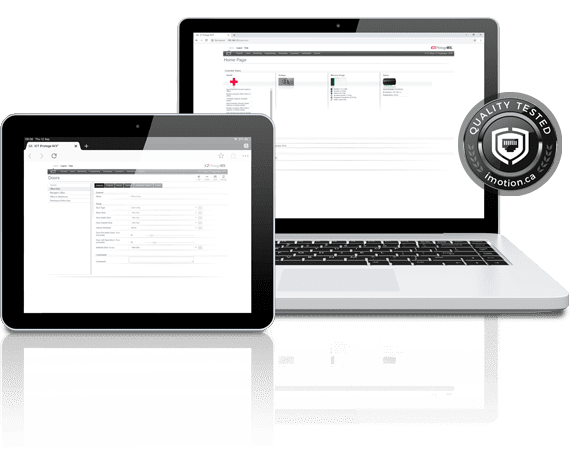
Say farewell to the typical constraints associated with software. A built-in web server means there is no software to install, making deployment quick, simple, and straightforward. No more issues with compatibility, lost DVDs, or licensing and connection limits. So clever.
Here. There. Anywhere.
No more dusty old desktop PC hidden away in a maintenance closet and providing a warm place for spiders to nest. The web-based interface gives you the flexibility to work from anywhere - the office, from home, or on the road. All you need is an internet connection and you have anywhere, anytime ease of access to your sites. That’s flexible.
Data Security
ICT’s secure encryption algorithms and the latest HTML5 web standards ensure your data is locked safely away onboard the controller. Optional encrypted backup files can be kept offsite or in the cloud.
Open Standards
Open standards ensure you are not locked out of your data. Integrate with third-party products such as SALLIS, Aperio, and Savant, or have your own developers use the ICT Automation and Control protocol to create a custom integration.
Easy Updates
Updates are a breeze to apply. Simply upload the update file, then follow the onscreen instructions. Even our expansion modules can be updated using this same simple process.

Smart. Stylish. Secure.
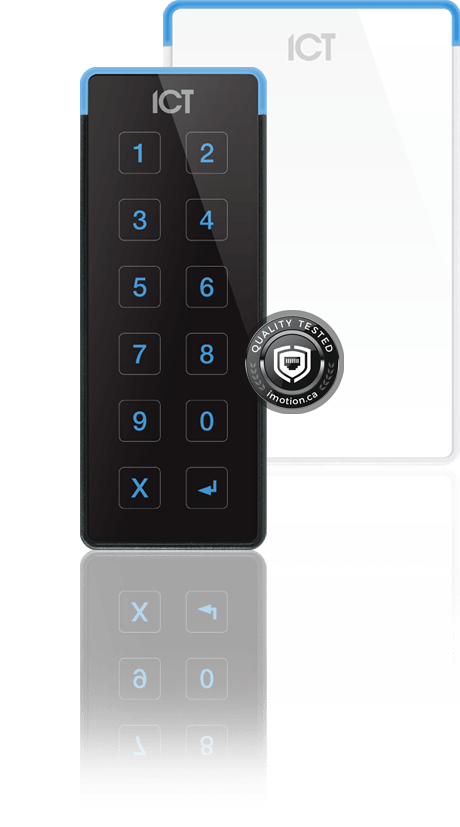
RFID Card Readers - Sleek and stylish, and with a range of optional features, the tSec RFID readers have a solution for everyone. Available in three sizes, with multiple card capabilities, with an optional keypad, and in a choice of black or white, you can select the model to fit your needs and your decor. Because one size does not fit all.
Multi-Card Technology
Available with either 125 kHz proximity or 13.56 MHz smart card capability, or as a multi-technology reader that combines both capabilities in a single unit, the tSec range delivers maximum compatibility while providing a path forward to the latest technology.
Bluetooth® and NFC Support
Equipped with Bluetooth and NFC capability, our latest tSec readers can be used in conjunction with the Protege Mobile App and ICT Mobile Credentials, enabling doors to be unlocked using a smartphone for maximum convenience.
IP65 Protection
The IP65 environmental rating provides a high degree of protection from the elements, making the tSec Reader suitable for harsh environments. Readers can be mounted indoors or outdoors, located anywhere from the car park gate to the office door.
Flexible Communication
Choose an intelligent RS-485 connection for fast, flexible, secure communication, or Wiegand for compatibility with all standard access control systems. RS-485 provides the added benefits of being easier and more cost-effective to wire and allows direct integration with Protege systems, enabling you to make changes on the fly once readers are installed.
Free Site Assessment
Contact Us Now
for your FREE Site Security Analysis - one of our technical representatives will be happy to help you.
"*" indicates required fields
Nurse Call and Patient Solutions
Nurse Call System Design & Installation across Lakeshore, Ontario

Nurse Call Systems
IP Lynx has a team of experienced professionals who design, install and service nurse call systems for retirement, long-term care and hospital settings. We can integrate our call bell systems with telephony to open voice channels with caregivers.

RFID and Wireless Patient Locations

Patient Behavioral Monitoring With AI Learning
Unlike traditional devices, it monitors residents’ living space in real time for daily activity, quality of life issues and emergencies, using non-intrusive sensors
With advanced analytics that alert to non-routine activity and emerging issues, Enterprise Wellness helps improve care and efficiency.
Looking for a nurse call system installation in Lakeshore? Our experienced team of professionals can help!