Sound like a bigger business on every call.
Lynx Voice Studio creates natural voice greetings, hold music and call menus that callers can answer by speaking or pressing a key. Built for Yeastar P-Series phone systems. Private, reviewable and made by IP Lynx.
Lynx Voice Studio is in Beta. We're setting up a small group of early workspaces and refining it with them.
Thanks for calling Riverside Dental. pause If you know your party's extension, dial it at any time. short For appointments, say "appointments" or press 1.
- OriginalFull-quality recording
- Phone masterClean, ready for the phone system
- Phone lineHow callers will hear it
- Natural voices in minutesType it, pick a voice, hear it.
- Say it or press itCallers choose speech or keypad.
- Nothing changes by accidentReview every change before it goes live.
- Your calls stay privateNo third-party AI cloud in the call.
Everything your phone line says, in one calm workspace.
Greetings, hold music and call menus, written, voiced, tested and reviewed in one place before your callers hear them.
Create voice prompts that sound right.
Write a greeting, choose from several natural voices, or create a reusable voice from a consenting speaker's recording. Add precise pauses, then hear the original, the phone-ready master and a real phone-line simulation side by side.
- Three built-in voice engines with a choice of voices
- Your own voice, from a 6 to 60 second recording of a consenting speaker; generated audio is watermarked
- Short, normal and long pauses exactly where you want them
- Prefer your own recordings? Upload almost any audio file (WAV, MP3, M4A, phone recordings) and it's converted for you
Hold music that fits your business.
Start with 24 tracks across eight genres, released by their creators under CC0, or upload music you have the rights to. Mix announcements over music and the music dips automatically under the voice.
- Acoustic, ambient and spa, cinematic, electronic and chill, funk, jazz and lounge, lo-fi, piano and classical
- Build hold playlists of music and announcements
- Download them ready for your phone system
Call menus callers actually like.
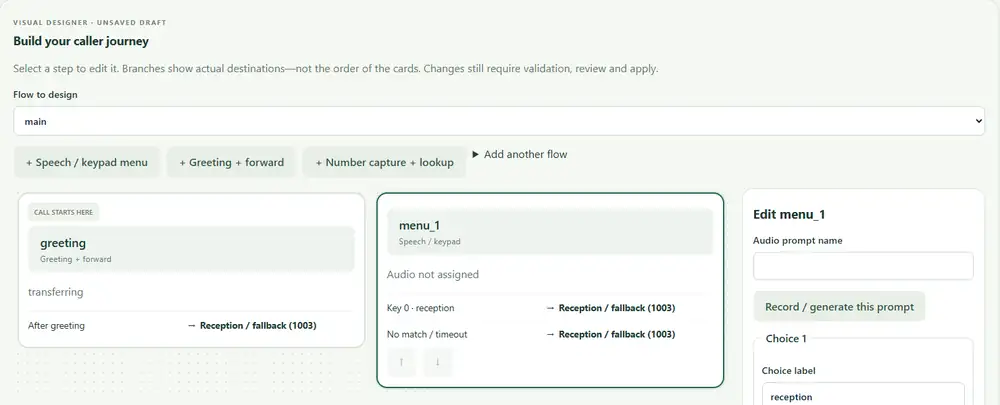
Design your call flow on a visual map. Callers can say "sales" or press 1, and speak or key in a number and hear it read back to confirm. If the system isn't sure, it asks again or sends the caller to a person. It never guesses.
- Callers can interrupt the greeting and answer right away
- Capture an order, account or prescription number and read it back
- Branches only go to extensions you've approved, so a menu can't send callers somewhere unexpected
- Test a call from your browser with a headset before it goes live
"Thanks for calling. How can we help?"
"I heard 4 0 7 2. Is that right?"
Not sure what the caller said? It asks again, then sends them to reception.
Change with confidence.
Every change is checked, shown as a clear before-and-after, and confirmed before it goes live. Calls already in progress keep their old settings, and any change can be rolled back.
- See exactly what will change before you apply it
- A history of every configuration change
- Roll back to an earlier version when you need to
Private by design.
Voices are generated and speech is recognised on IP Lynx's own servers. No third-party AI service is used.
- Calls aren't recorded
- Numbers callers give are hidden from logs by default
- Call history keeps no caller numbers or audio, and is kept for seven days
- Role-based access, sign-in limits and strong password protection
Built for partners, too.
Manage many customers from one console, with a separate workspace for each one.
- Technicians see only the customers they're assigned
- Customers can safely edit their own menus and greetings
- Add a new customer workspace in one step
- Staff accounts with welcome email and password reset
From a few notes to a working call menu.
Four steps, in plain language. We set up your workspace to get you started.
- 1
Tell us about your business
Hours, departments and services, or import the text from your website.
- 2
Get a script, pick a voice
Start from English or French suggestions for greetings, after-hours and hold messages, then generate the audio.
- 3
Design your call menu
Arrange the cards on a visual map. Branches only go to destinations you've approved.
- 4
Test, review, go live
Test a call from your browser, review the change, and apply it.
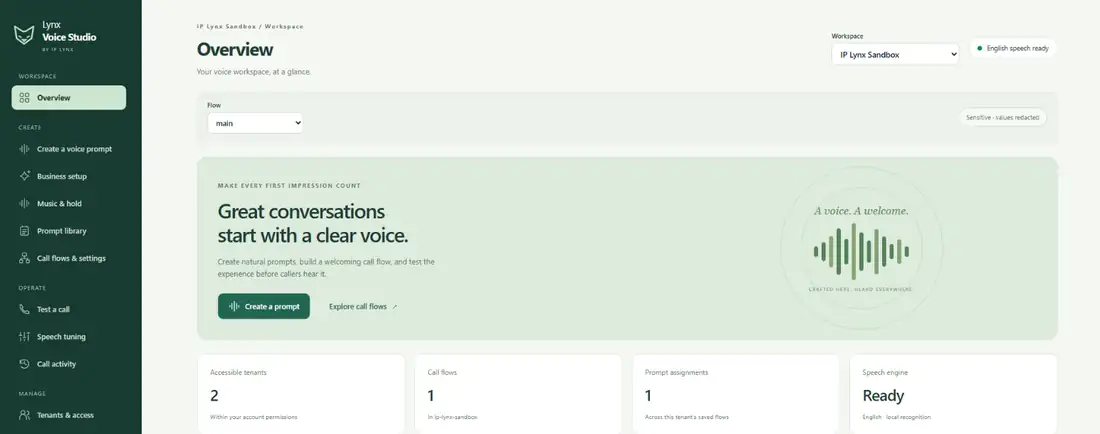
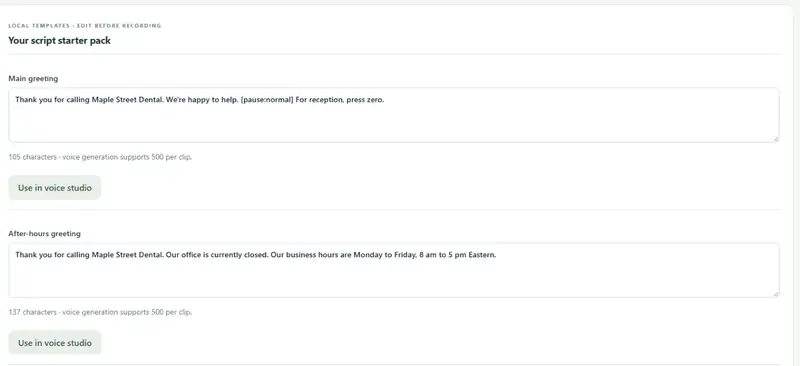
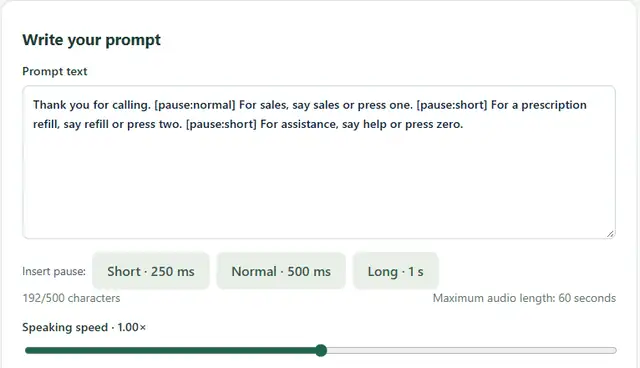
See the actual console.
Captured from the IP Lynx sandbox workspace. The business name and menu text are examples.
How prompts reach your phone system
- Greetings and hold playlists are downloaded ready for your phone system and installed on it.
- Speech-or-keypad menus connect to your Yeastar P-Series through a standard SIP trunk.
Planned, not built yet
- Publishing approved prompts straight to the phone system
- Picking destinations from the phone system's directory, plus call outcome reports
- Business-hours and holiday greeting sets
For businesses, and the people who look after their phones.
Businesses on Yeastar P-Series
Clinics and pharmacies, professional offices, retail and service businesses that want a polished, professional phone line without booking a studio every time hours or staff change.
Need a Yeastar phone system? See our business phonesResellers, MSPs and IT partners
Teams that set up and look after Yeastar systems for several customers. Give each customer a workspace, assign technicians, and let customers update their own greetings safely.
For partners: it works alongside the PBX through a standard SIP trunk.
Beta pricing.
Contact us for Beta pricing.
Lynx Voice Studio is in Beta. Request access and we'll talk through early-access pricing for your business or your customers.
Request Beta accessStill to be published
- Plans and prices
- TODO: pricing model, plans and prices (CAD)
- What's included
- TODO: voices, custom voices, music, menus, users per plan
- Beta terms
- TODO: free, discounted or time-limited
- Setup and partner pricing
- TODO: onboarding fee and reseller pricing
Questions we hear.
Does it work with my phone system?
Lynx Voice Studio is built for Yeastar P-Series phone systems (PBXs) and connects through a standard SIP trunk. Talk to us about other systems.
TODO: confirm whether non-Yeastar phone systems are offeredIs this an AI receptionist?
No. It's a structured call menu that understands spoken choices and numbers. It doesn't hold open-ended conversations, which keeps it predictable.
Can I use my own voice?
Yes, with the speaker's consent. Upload a short, clean recording and save it as a reusable voice. Generated audio is watermarked.
Where is my data processed?
On IP Lynx's hosted servers (OVH Cloud). Voice generation and speech recognition don't use third-party AI services.
TODO: confirm server region and what to say about where data livesDo you record calls?
No. Calls are processed in memory and not recorded.
Is the music licensed?
The starter library uses tracks whose creators released them under CC0. You can also upload music you have the rights to.
Does it speak French?
Script suggestions are available in English and French.
TODO: confirm French voices and French speech recognition before offering bilingual call menusHow do the greetings get onto my phone system?
Today, approved greetings and hold playlists are downloaded ready for your phone system and installed on it. Publishing straight to the phone system is on the roadmap.
What does "Beta" mean?
The product is working, and we're adding features and refining it with early customers.
TODO: confirm Beta terms (for example free or discounted)Ready to sound like a bigger business?
Lynx Voice Studio is in Beta. Request access and we'll set up your workspace.
- For Yeastar P-Series phone systems
- Businesses and phone-system partners welcome
- We'll reply by email
Request Beta access
Tell us a little about your business and your phone system.
Already have a workspace? TODO: confirm "Sign in" link to the console